
RepoDB Desktop Studio: Advanced Capabilities Are Here
Published:
Last month I shared the initial development status of RepoDB Desktop Studio, and I was upfront that it was not fully Data-Engineering ready yet. A month later, I am happy to say it has grown a lot, and I want to walk through what is new.
What’s New on Top of the Last Post
🧩 Definition management — you can now manage the definitions behind your data objects directly from the Studio, instead of hand-editing them outside the tool.
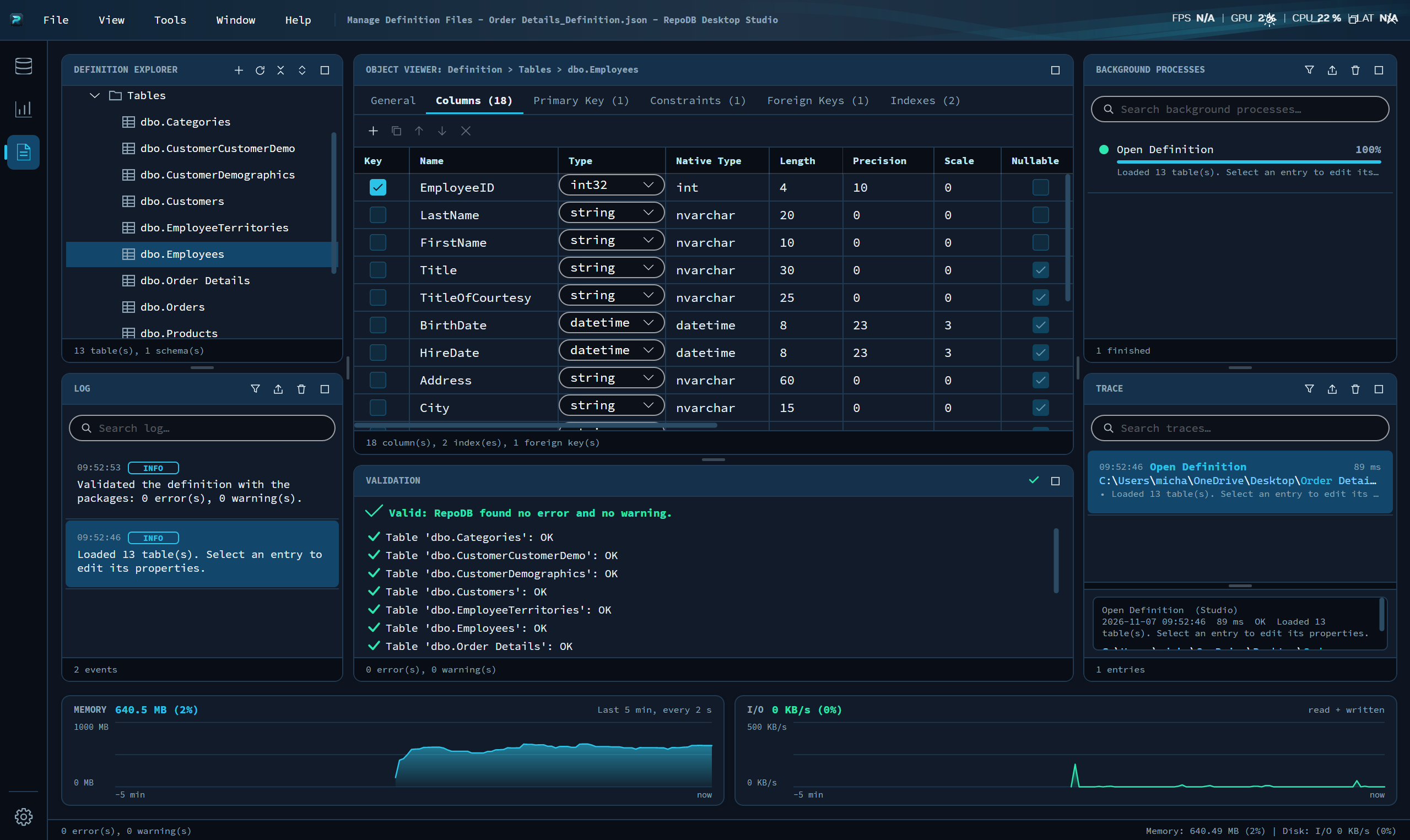
📡 Extended telemetry monitoring — a deeper view into what is happening under the hood, beyond the basic telemetry insights from the initial release.
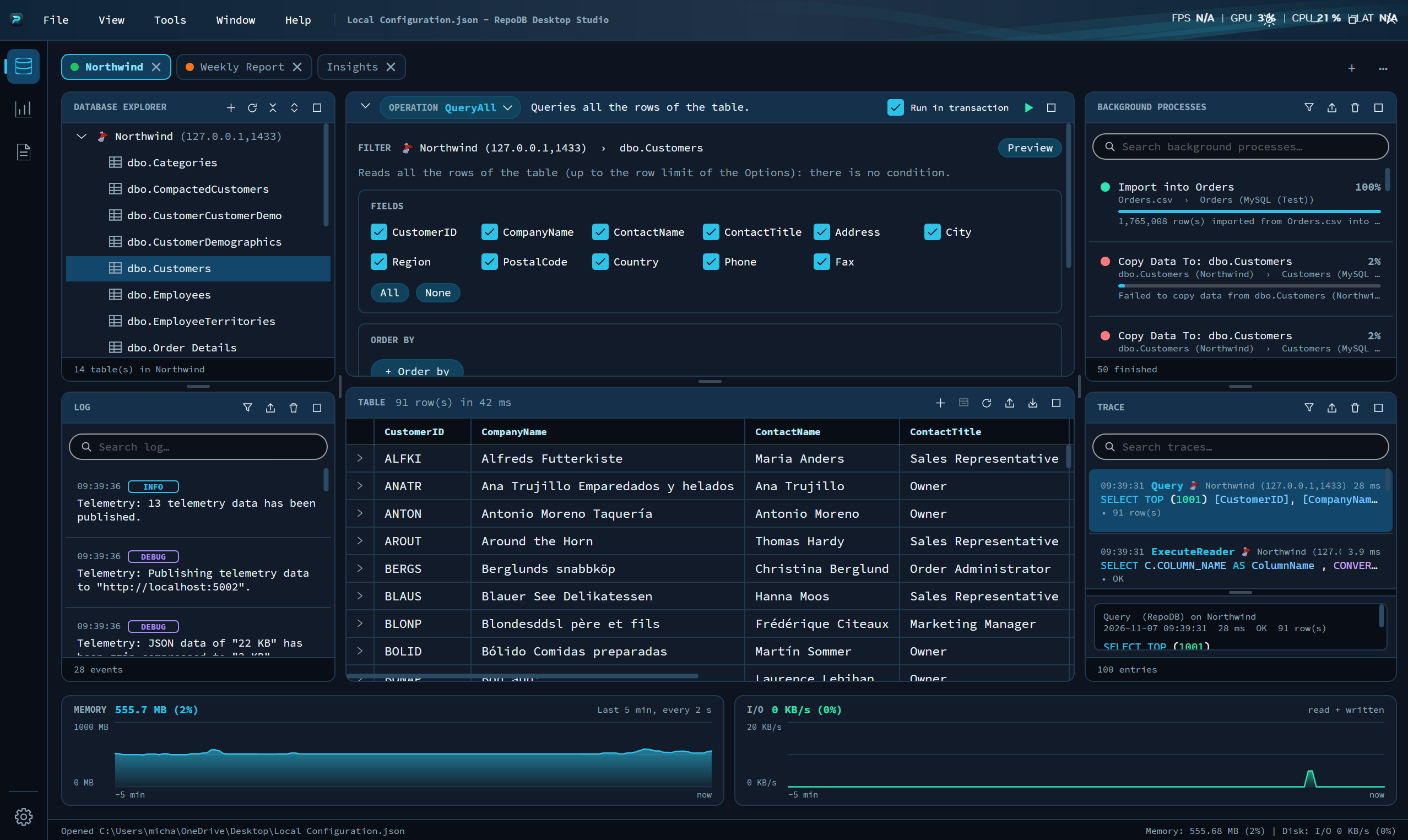
🧠 Full ORM capabilities via UI — the same power you get from RepoDB in code is now reachable straight from the interface, no need to drop into a script just to get real work done.
💻 SQL and C# Previewer — see the exact SQL statement and the generated C# behind every operation before it runs, so there are no surprises.
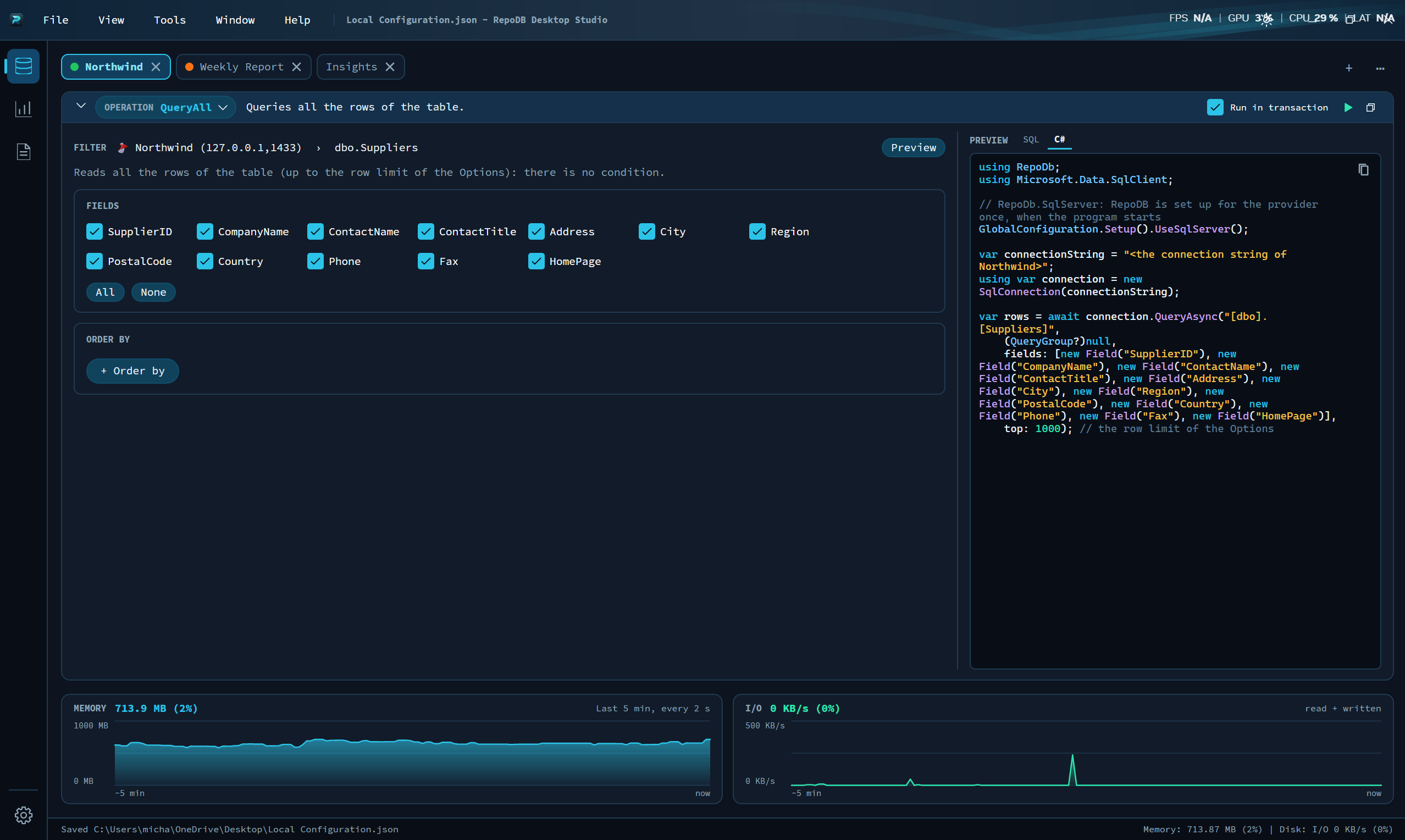
⚡ RAW executions — when you need to drop down and run something directly, the Studio now lets you do that too.
🛑 Guard rails for DROP, TRUNCATE, and DELETE — destructive operations now come with safeguards, because the last thing anyone wants is a one-click accident on production data.
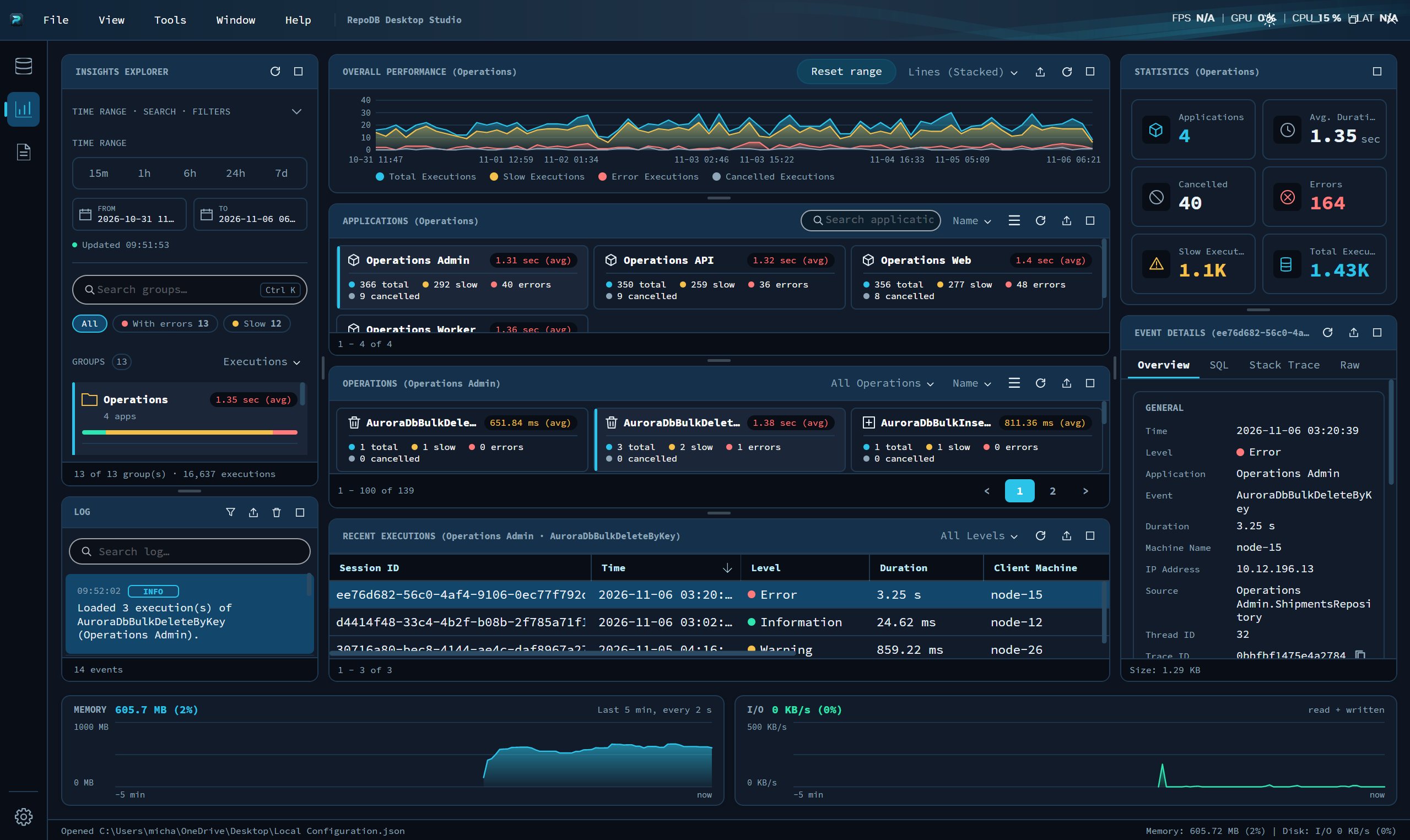
📊 Insights statistics and cross-organization support — visibility into usage and behavior that now spans across organizations, not just a single connection or workspace.
➕ And many more — smaller refinements across the board that did not make this list individually but add up to a noticeably more complete tool.
Still Not Done, and That’s the Point
This remains an evolving project. The roadmap I shared last month, schema and data movement, YML-based schema configuration, a data manager, Parquet and Avro support, pipeline scheduling, and integrations with Azure, Amazon, Snowflake, and Databricks, is still exactly where I am heading. This month’s progress is the UI and ORM foundation getting sturdy enough to actually carry that next layer of work.
Coming Soon: YouTube Videos
I am also planning to put together YouTube videos walking through these capabilities. Reading about a feature only goes so far, and I want people to actually see the Studio in action: the previewer, the guard rails, the insights, all of it. More on that as it comes together.
As always, RepoDB and RepoDB Desktop Studio remain free, independent, and a passion project built on nights and weekends. If you want to see where it stands or try it out, I am always open to showing it.
More to come as this keeps moving.
~ This post is refined by AI, but is reviewed and gatekept by me before posting ~